Eclipse · Sim Comparison
More than just a simulator
The market has no shortage of flight simulators. BLACKSTAR is built for teams that need the simulator, the curriculum, the data, and the path forward to operate as one system.
At a Glance
One System, Not a Collection of Parts
Most training devices are assembled from separate products. The Eclipse is designed as a single connected platform.
- Connected training platform
- 1
- Partner for hardware, software & support
- 1
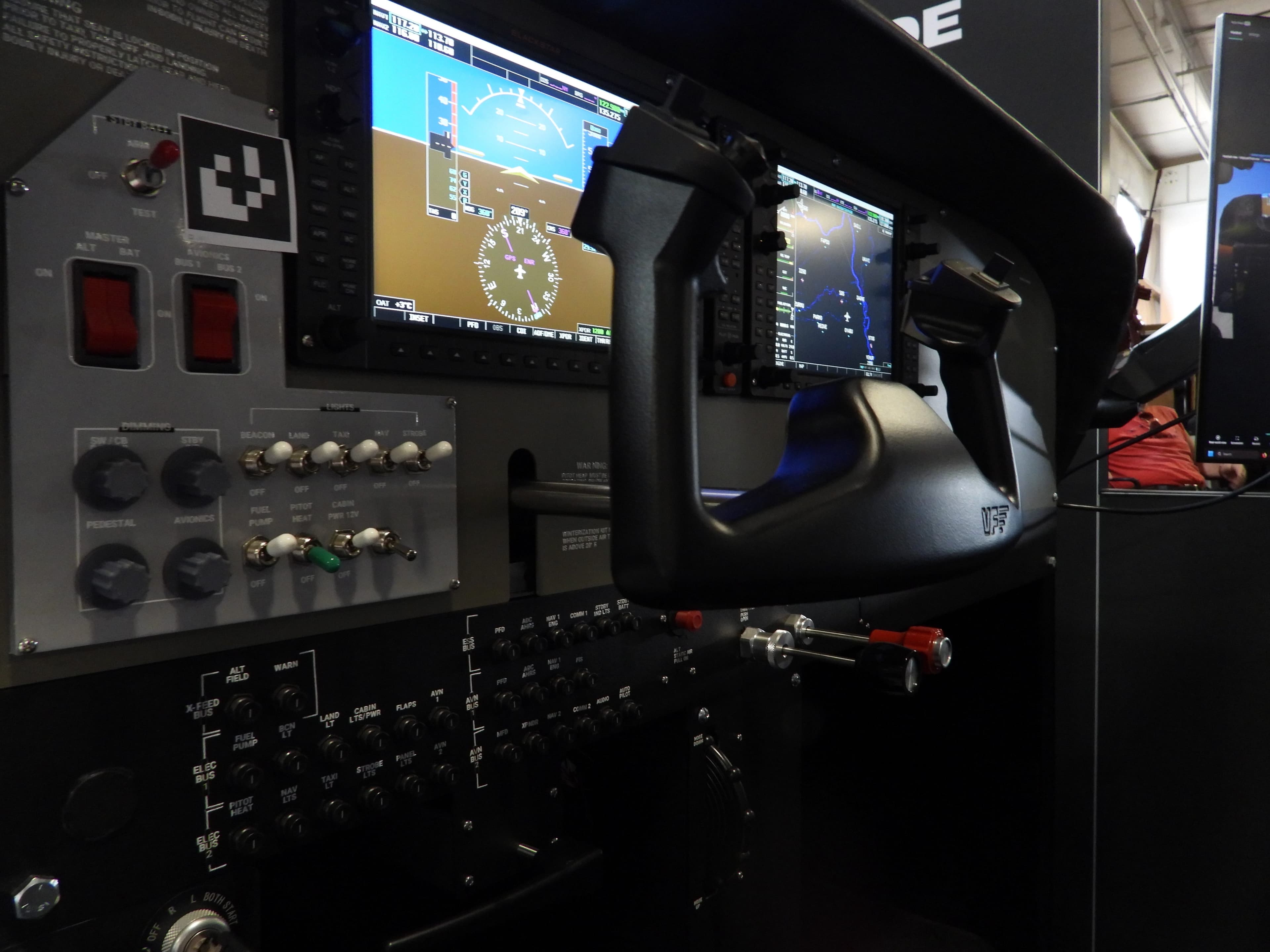
- Varjo Focal Edition visuals
- XR-4
- Simulator the visual system connects to
- Any
Side by Side
How the Eclipse Compares
Thirteen points of comparison across hardware, training, instructor tools, and long-term ownership.
Category
BLACKSTAR
Connected by design
The conventional path
Built in pieces
Hardware & Immersion
Physical controls
Visual system
Mixed reality
Footprint
Training & Curriculum
Training environment
Program fit
Simulation software
Instructor & Data
Instructor control
Student progress
Debriefing
Ownership & Support
Point of contact
Upgrade path
Setup
For the Student
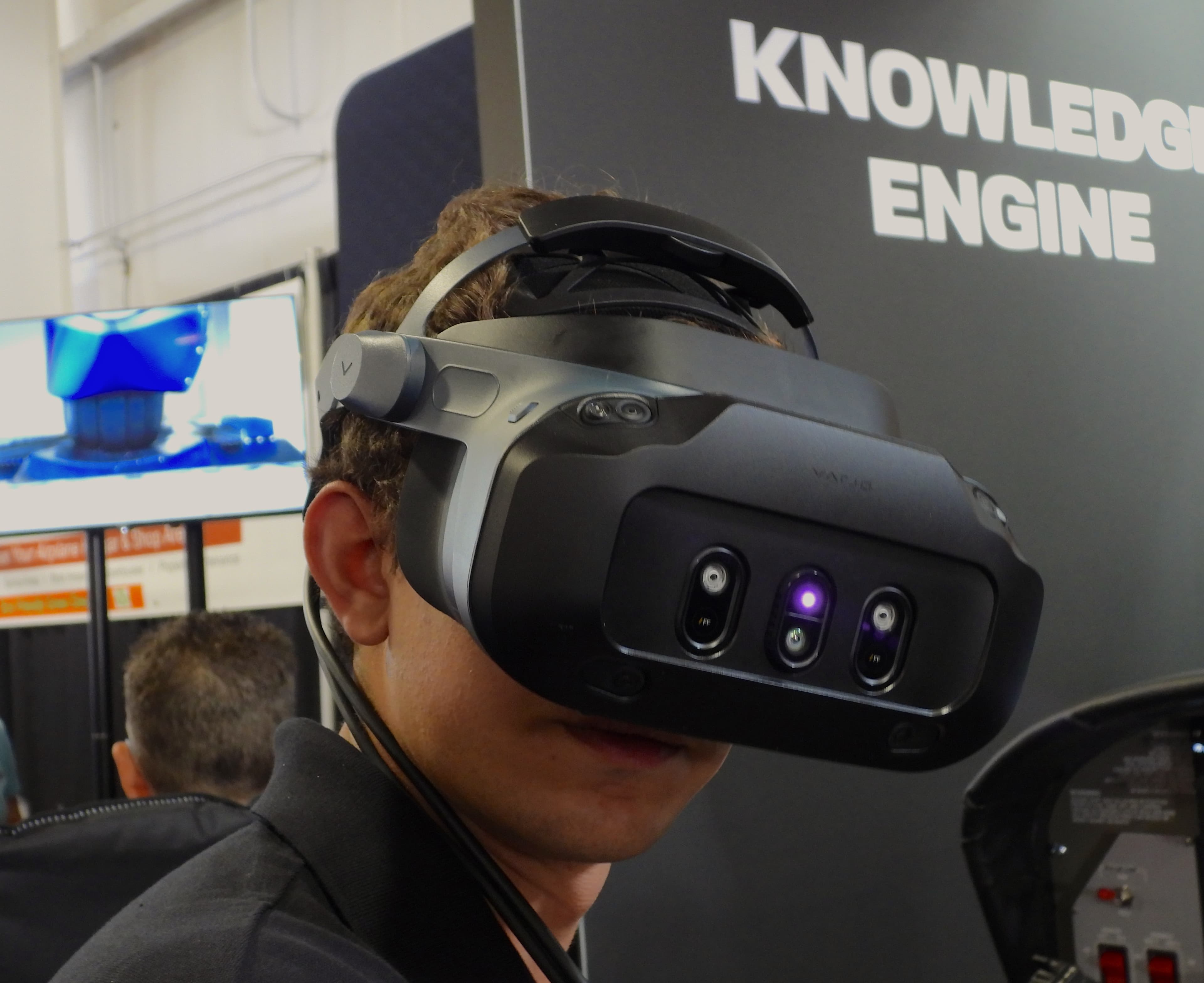
Training That Feels Like Flying
Mixed reality lets students see their own hands on real controls while flying in a fully rendered environment. Muscle memory builds on the same movements they will use in the aircraft.
Conventional screen-based devices put the outside world on a monitor and the controls somewhere else, which separates what students see from what they do.
For the Instructor
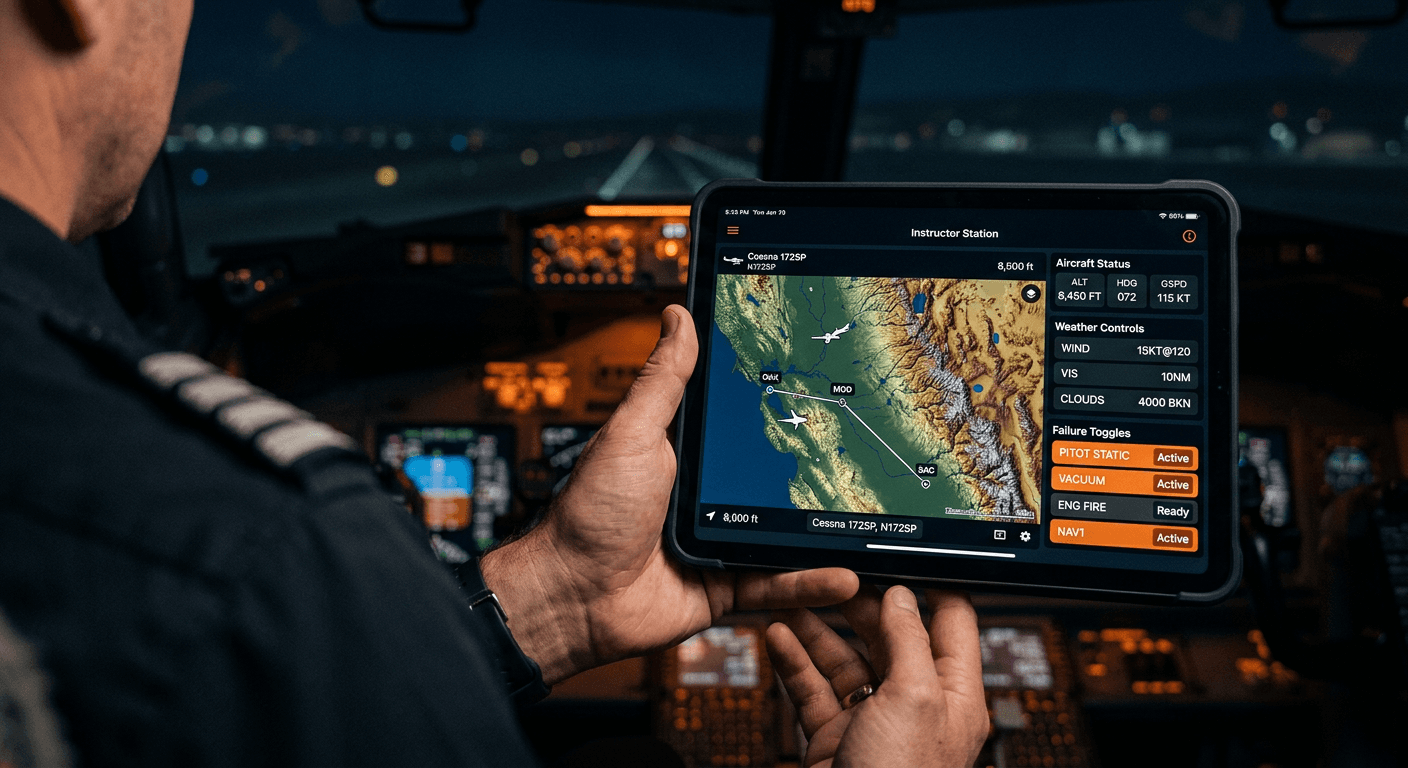
Control the Lesson From Anywhere
With the optional instructor iPad, instructors set scenarios, change weather, and introduce failures without interrupting the student.
Every session connects back to the student's record through Atlas, so the next lesson starts where the last one ended.
A Training Session
From Brief to Progress Record
How a single lesson flows when the simulator, instructor tools, and data work together.
- 01Before the flight
Brief
The instructor selects the lesson, aircraft, and conditions, and the scenario is ready before the student sits down.
- 02In the cockpit
Fly
The student flies with real controls in mixed reality while the instructor adjusts weather and failures in real time.
- 03After landing
Debrief
Session data supports a focused debrief, built on what actually happened instead of what was remembered.
- 04Across the program
Track
Results feed into the student's record, so progress is visible across lessons, instructors, and devices.
Ownership
The Costs That Do Not Show Up on a Quote
The price of a device is only part of the picture. These are the factors that shape the real cost of running a training program.
Integration Work
Combining visuals, controls, and software from different vendors takes time. BLACKSTAR ships as one matched system.
Service and Downtime
When something fails, one partner owns the fix. No triaging which vendor is responsible.
Scaling the Fleet
Every added device runs on the same platform, so training stays consistent as the program grows.
Instructor Time
Less time spent on setup and record-keeping means more time spent teaching.
Utilization
A compact, easy-to-run device can be scheduled more often, which gets more training out of the same investment.
Program Records
Connected training data makes reviews, audits, and progress reporting easier to prepare.
Evaluation Checklist
Questions to Ask Any Vendor
Use these questions to compare any training device, including ours.
- 01Does the system use real, physical controls, or generic peripherals?
- 02Can students see their own hands and the cockpit in mixed reality?
- 03Which simulation platforms does the device support today?
- 04Can the instructor control the session without standing at the simulator?
- 05Where do student records live, and how do they connect to the lesson?
- 06Who handles integration, calibration, and setup?
- 07Is there one point of contact for support across hardware and software?
- 08How does the system expand as your program adds students and devices?
FAQ
Common Questions
What does the Eclipse compare against?
This comparison looks at the conventional approach to training devices: a simulator, visual system, software, and records sourced and managed separately. Individual products vary, so we recommend using the evaluation checklist with any vendor you are considering.
Can BLACKSTAR work with the simulation software we already use?
The Eclipse runs professional platforms including Prepar3D and X-Plane, and the Polaris visual system can connect to any simulator. Our team will review your current setup during a demonstration.
Is the instructor iPad required?
No. The instructor iPad is optional. It lets instructors manage scenarios from anywhere in the room, but the system works without it.
Can we start with one device and add more later?
Yes. The platform is designed to grow from a single device into a full training operation, with every device sharing the same workflows and records.
How do we see the difference for ourselves?
Request a demonstration. Our team will walk through the Eclipse, Polaris, and Atlas with your curriculum and aircraft in mind.
Next Steps
See the Difference in Person
Request a demonstration from our team, or compare the simulation platforms the Eclipse runs.
Continue Exploring
Where to Next
- 01The EclipseSpecifications, configurations, and the complete training device.
- 02Platform ComparisonPrepar3D and X-Plane compared side by side.
- 03The EcosystemHow every system connects into one training experience.
See the Eclipse in Action
Request a demonstration from our team.